Puzzle #219
Non-letter and non-number keys on a full-size keyboard
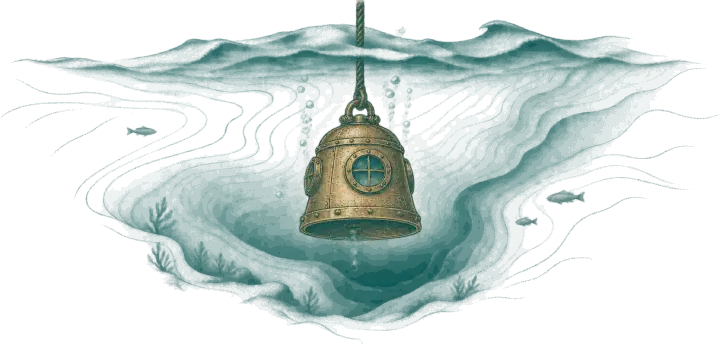
Rarity Depth Ladder
Surface Traps 75–100 pts
- Spacebar
- Enter
- Escape
Safe Reef 15–35 pts
-
Safe
F7 Reveal pick 01 Function row · above the typing area
-
Safe
Page Up Reveal pick 02 Navigation block · move by a screen
Abyss Seldom 0–5 pts
-
Seldom
Pause Reveal pick 03 Upper-right cluster · paired with Break
-
Seldom
Scroll Lock Reveal pick 04 Indicator lights · tied to scrolling
-
Seldom
Print Screen Reveal pick 05 Upper-right cluster · screen capture
Zero-penalty hints
Picture the little islands
Mentally separate the typing block, function row, navigation block, and number pad. Think of a key from a cluster you rarely use.
Look at the lights
Some physical keys switch modes instead of typing a character. Picture the little indicator lights above the keypad.
Name the key, not the action
Two symbols can share one physical cap. A shortcut combines keys, so look for the label of one key instead.
Answer library
Choose a tier to reveal its answers.
Deep Seldom (13)
-
A legacy physical key near the upper right of a full-size PC board, often labeled with Break as well.
-
A mode key whose status light survives even on boards where software seldom uses its scrolling behavior.
-
The traditional screen-capture key whose two-word name is often abbreviated on a full-size PC keycap.
-
The application key opens a contextual menu and often sits near right Ctrl on a full-size PC layout.
-
This dedicated keypad toggle changes keypad behavior instead of entering a digit.
-
The backslash key is ordinarily near Enter on US ANSI layouts. Its shifted legend is commonly a vertical bar.
-
On US layouts this key usually sits left of the number row and shares a cap with tilde.
-
This punctuation key sits to the right of L on US QWERTY keyboards. Its shifted character is a colon.
-
The quote key, usually to the right of semicolon, also carries the double-quote legend on a US keyboard.
-
One of the keys to the right of P. Holding Shift commonly turns its output into a left brace.
-
The neighbor of left bracket whose shifted output is a closing brace on a conventional US ANSI board.
-
The divide key on the numeric keypad has a separate physical location and code from the typing-block slash.
-
The keypad decimal key enters a separator with Num Lock on. Its second label may be Delete.
Safe Picks (5)
-
A numbered function-row key on the physical row above the typing area.
-
A navigation-block key typically used to move through a document by a screenful.
-
A navigation key that often moves the insertion point to the beginning of a line.
-
A dedicated navigation key associated with switching between insertion and overwrite modes.
-
The key paired with Home that often takes an insertion point to the end of its line.
Traps to Avoid (5)
-
Spacebar
The wide bottom-row bar is one of the first examples many typists can picture.
-
Enter
The familiar submit or line-break key often comes to mind as soon as someone pictures a keyboard.
-
Escape
This upper-left key is easy to locate in a mental keyboard diagram.
-
Backspace
Frequent use while editing makes this an easy key to recall.
-
Shift
Most typists recognize this modifier from typing capital letters and symbols.
Tiers reflect editorial familiarity. Seldom decides which guesses count and how they score.
A guide for the last empty slot
Seldom gives you one category and asks for five names that fit. A name can be easy to remember from one direction and hard to find from another. This guide gives you three ways into the category you see here, followed by a set of references for people who want specific suggestions. The date above the topic tells you which puzzle edition the notes belong to.
The original round takes place at playseldom.com. Keep it open while you use this guide or copy a candidate. Your guesses and scores belong to that round. The picks here are editorial suggestions with character or subject references so you can check how they fit before you use them.
Pick how much help you want
Open just one clue. The clues describe a way to search your memory. Give yourself a moment with the first one and keep the others folded if it leads to an idea. Each clue changes something concrete, such as the role you think of, where a scene takes place, or the period you look back to.
Draw a shortlist. Shuffle gives you five different names. If one brings a scene or character to mind, lock that pick before you shuffle again. You can lock several at once. Each reshuffle replaces the unlocked picks when enough unused candidates are available. Unlock a pick when you want to change that slot too.
Look up a spelling. Choose a tier in the answer library to see the notes for individual picks. The reference beside a name supports its connection to the category. Copy gives you the spelling used in the guide. If your browser blocks clipboard access, use your device’s Copy command on the text the guide selects for you.
Know what a pick can tell you
The shortlist is meant to give you more than one route through a topic. Its group names describe familiarity as an editorial judgment. An answer that fits a real category can still be outside the game's accepted answers for a round. Only the feedback on playseldom.com can confirm acceptance and the score you get there.
Check the date if the topic looks different
The puzzle changes at 00:00 UTC. The latest reviewed edition can stay here after that time until another is ready. Compare its topic and date with the game. If you want notes from the edition you were already reading, use its dated link below. To browse older material by topic or date, open the archive.
Questions about this edition
Do punctuation keys fit this theme?
On a conventional full-size US keyboard, semicolon and apostrophe are physical punctuation keys. The original game decides which typed labels it accepts.
Is a keyboard shortcut a single key?
A shortcut combines two or more keys to make an action. This theme is about naming one physical key from a conventional full-size layout.
Why are there two slash locations?
The typing-block slash and the numeric keypad divide are distinct physical keys. W3C gives the keypad key its own code, NumpadDivide.